Redesigning Google Tasks for Collaborative Task Management
This is a self-initiated project that reimagines Google Tasks to support shared task tracking among multiple people.

THE PROBLEM
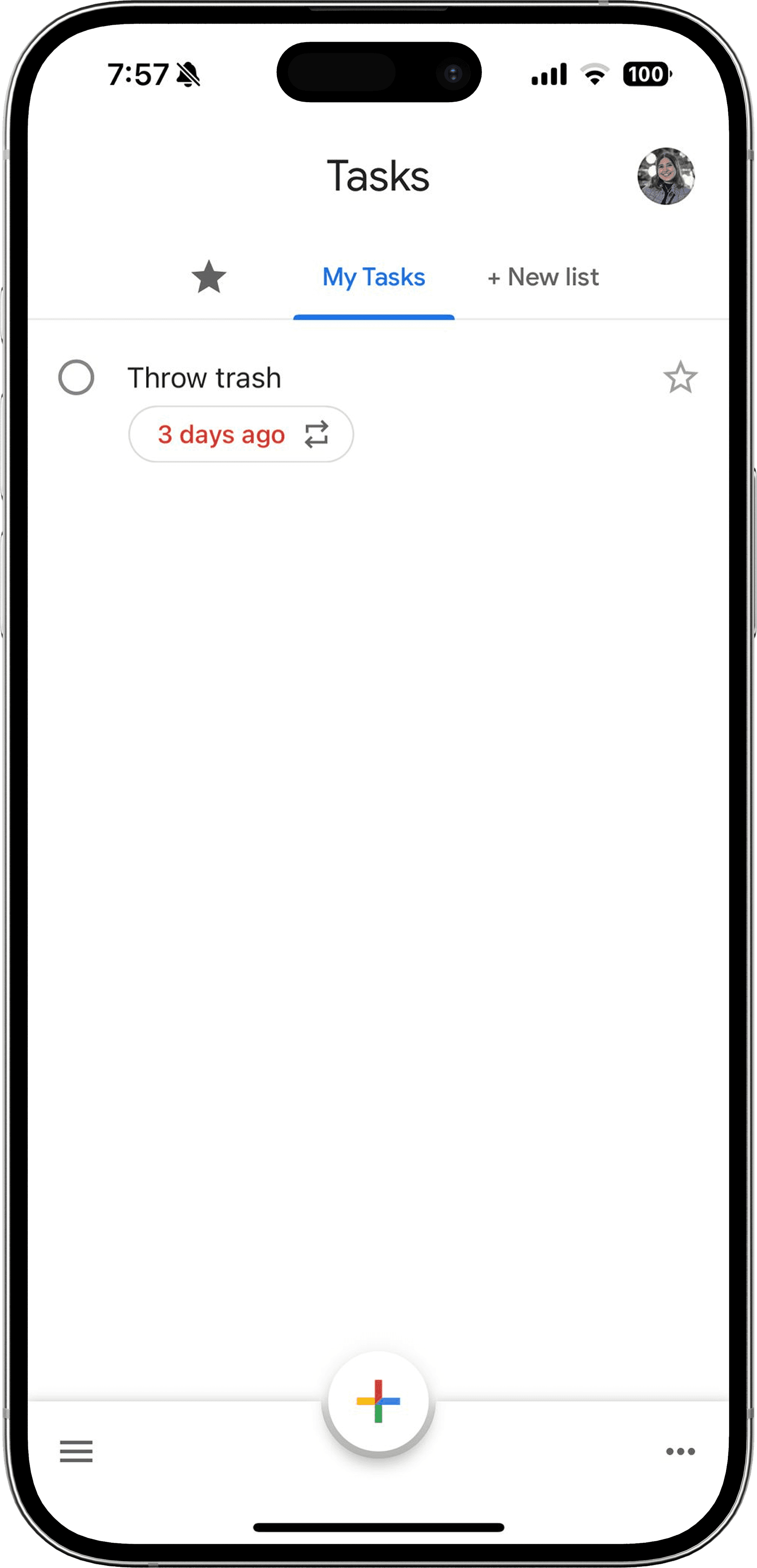
The Google Tasks Mobile App lacks shared task management. Tasks can only be assigned within a Google Chat group, and each task can be assigned to just one person.

THE GOAL
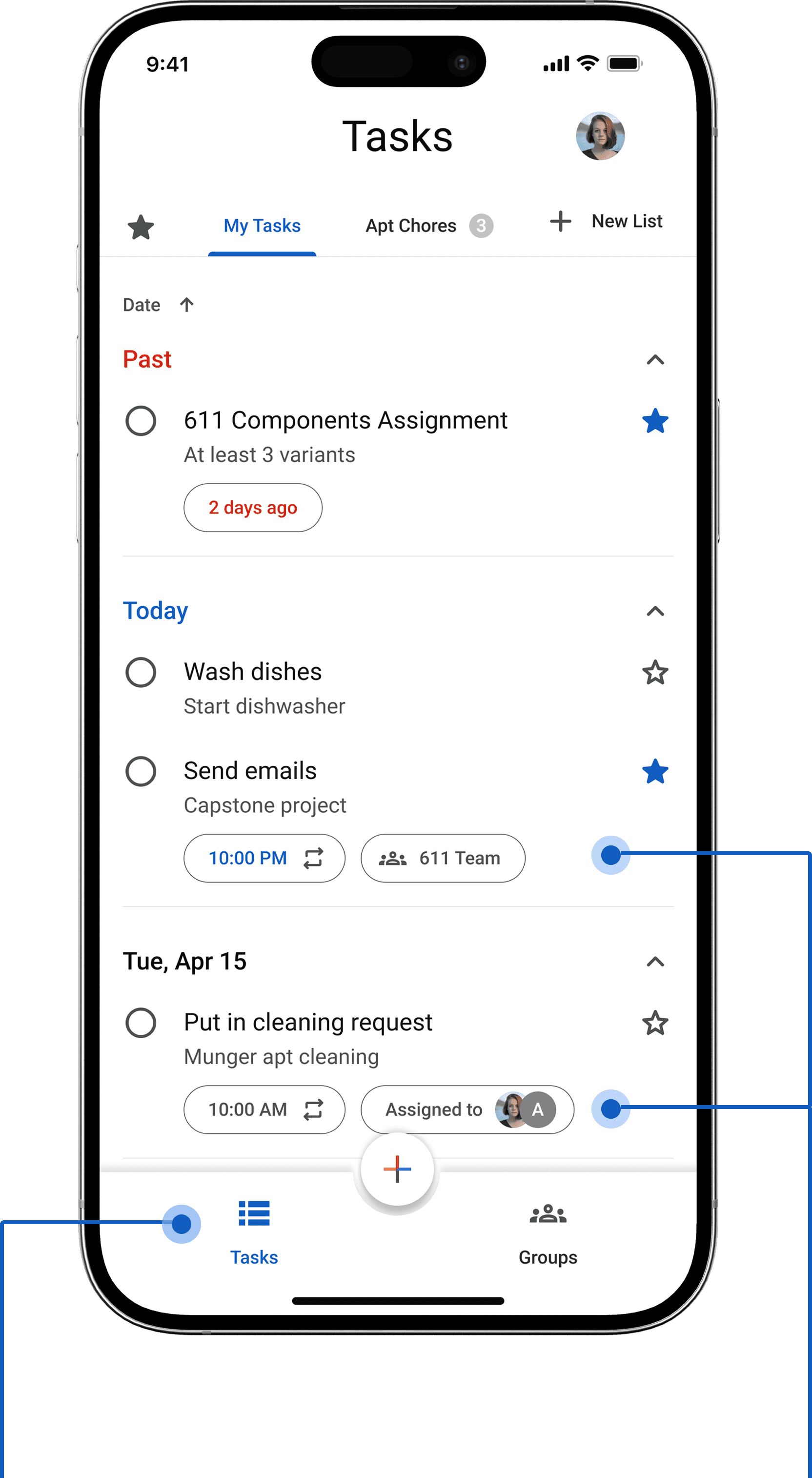
Redesign Google Tasks to enable collaborative task management that supports shared ownership, progress, and accountability, similar to how Splitwise enables visibility and coordination in group expenses.
Before
After
OUTCOMES
Research
Design
Developer Handoff
Project Specs
Redesign an existing app or come up with an app of choice that solves a problem
Produce 10 high-fidelity screens in both light and dark mode for developer handoff within 3 weeks
Constraints
Achieve this redesign within the constraints of Google’s existing design system.
Remake some Material Design components from scratch that are not publicly available.
Why Redesign an Existing App?
This redesign was inspired by my own difficulty managing shared chores with roommates during grad school in the absence of a cohesive task management app.
Because Google Tasks was already a familiar interface to many of my peers for personal task-tracking and integrated seamlessly with Google Calendar, I saw an opportunity to improve an existing tool that many of my target users (college students) were using rather than create a brand-new one that might be harder to adopt.
USER INTERVIEWS
From assumptions to addressing real user needs
Semi-structured interviews
To get a better sense of my user base, I conducted 4 semi-structured user interviews and informal 15-minute chats with my roommates and peers in grad school.
What I Learnt
Users want a way to log when a task is completed so others can track shared responsibilities.
“I think logging chores individually that can be seen by other people would be fairly useful. For example, if I took out the trash, I would like to log that in the application. So everyone else knows that I took it out last time and they are expected to do that this time around.” (I1)
Users need a way to gently nudge group members when a task is missed or overlooked.
“If I see one of my roommates did not clean up the kitchen counter after they were done cooking, I could log a request in the application or send them a reminder that I see this, you forgot to clean, if you could kindly do this, that would be great.” (I2)
PERSONAS
What types of users can I design for?
The Responsible Tracker

If I take out the trash, I want everyone to see it logged so next time it’s not automatically on me again.
Demographics
Alex
Age 25
Graduate Student
Context
Lives with 3 roommates in an off-campus apartment. Balances coursework, part-time work, and group projects.
Goals & Needs
Wants an easy way to log completed chores so everyone sees who did what
Values fairness and transparency in shared responsibilities
Needs tasks to sync with personal schedule (Google Calendar) so chores don’t get overlooked.
Frustrations
Gets annoyed when roommates forget chores but doesn’t want to nag
Finds group chats messy for tracking who completed tasks.
The Gentle Nudger

I’d like to send a gentle reminder in the app instead of feeling like I’m nagging in person.
Demographics
Priya
Age 24
Undergraduate Student
Context
Shares a suite with 5 peers. Often studies late and cooks at odd hours, leading to occasional chore conflicts.
Goals & Needs
Wants a subtle way to remind others when chores are missed
Prefers polite, non-confrontational nudges over direct arguments
Values accountability tools that keep the group dynamic positive
Frustrations
Feels awkward directly telling peers to clean up
Reminders in group chats often get ignored or create tension
Takeaways
The personas highlighted not just frustrations with existing tools but also opportunities for improving collaboration and accountability. These insights directly shaped my design direction moving forward.
SKETCHES & IDEATION
Turning Research into Early Concepts
I began with quick iPad sketches to map out basic flows and test ideas to help clarify UI patterns before jumping into Figma.
Adding a tab for managing groups in the existing design for Google Tasks,
Creating a new group task
Viewing and updating group task assignments
1

2

3

DESIGN SYSTEM
Building the Design Foundation
After clarifying the task flows, I needed a strong visual foundation to bring the redesign to life. To ensure consistency and scalability, I created a design system that included:
Typography assets derived from Google’s Material Design 3 guidelines

A color palette that balanced familiarity with new collaborative features

A custom component library in Figma with buttons, tags, avatars, and modals for task-sharing and subtask splitting
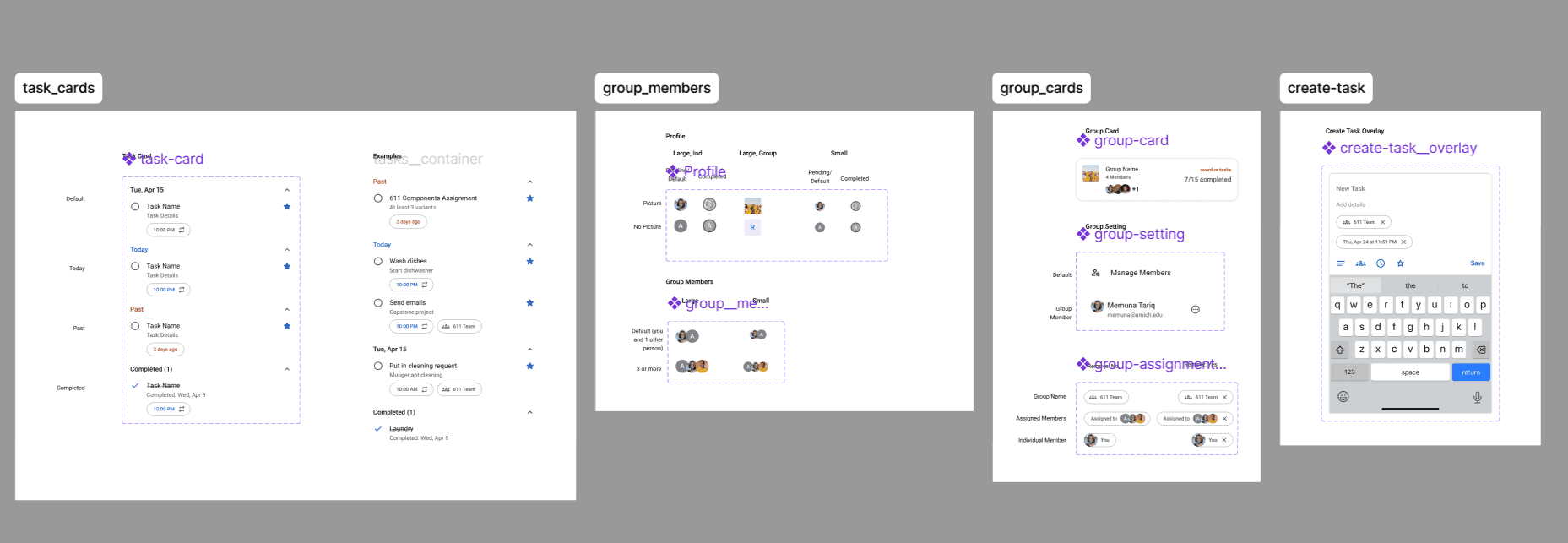
Outcomes
Together, these foundations set the stage for high-fidelity mockups and prototypes that aligned with both user needs and the collaborative task management vision.
FINAL DESIGN
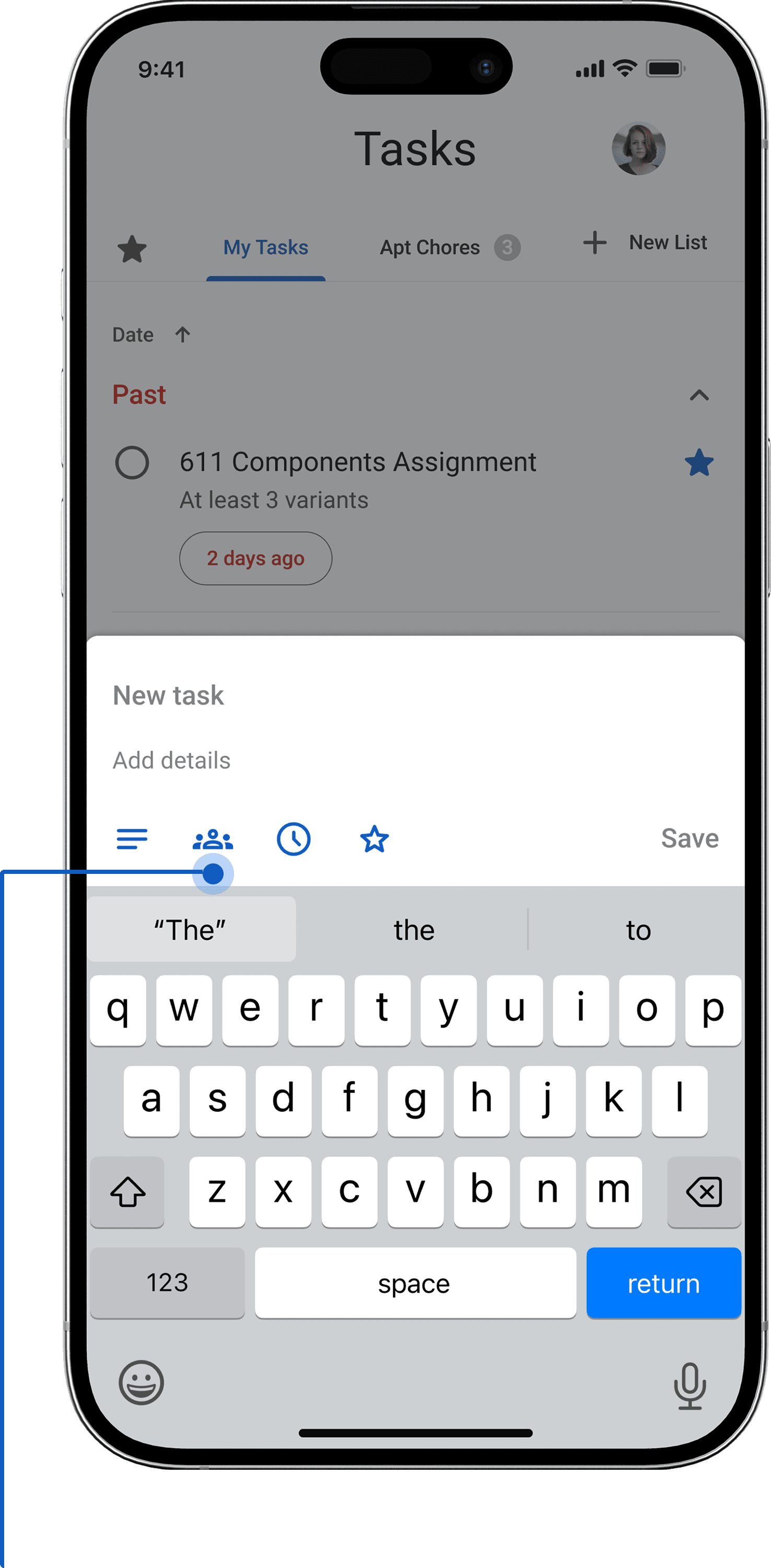
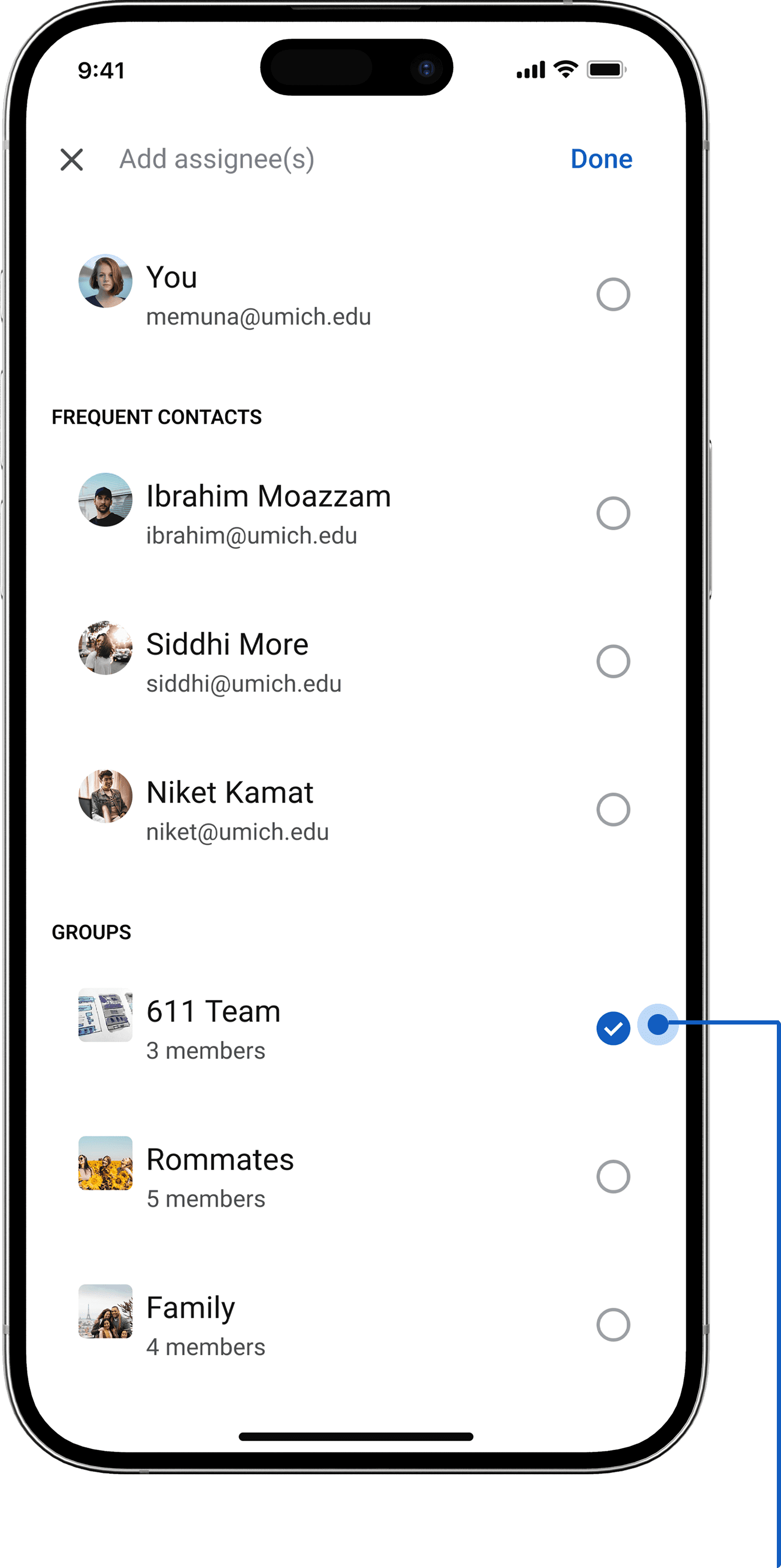
Reimagining Google Tasks by introducing group-based tasks with clear task assignments and accountability, all within Google’s Material Design constraints.
Introducing Groups and Group Tasks…

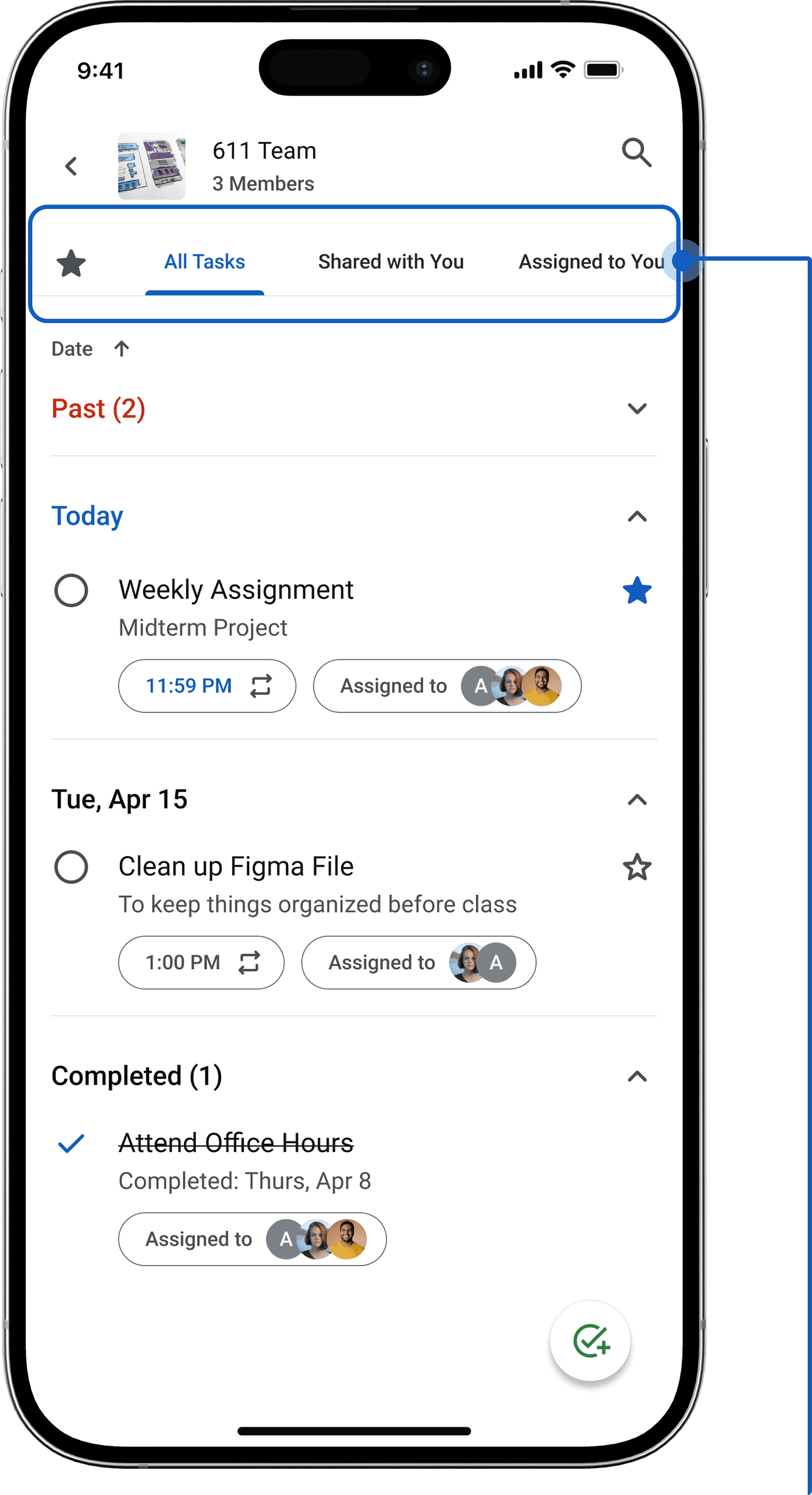

Enabling Collaborative Task Creation…

REFLECTIONS
Meeting my Goal
This project began with a simple challenge:
How might Google Tasks support collaborative task management?
While I didn’t develop or ship an MVP, I translated real user needs into a redesign that introduced group task management, shared ownership, and accountability features.
What I Learnt
Building on an existing ecosystem like Google’s means thinking carefully about integration (e.g., with Calendar) and adoption friction.
Designing for shared responsibility requires balancing visibility (so everyone knows who did what) with gentle accountability (so reminders feel supportive, not nagging).
What I would do Differently
Conduct a competitive analysis to identify gaps and adapt successful patterns from other collaborative task management tools before diving into designs.
Conduct usability testing of sketches and prototypes earlier with real users in shared living situations to validate design decisions.
Next Steps
I am eager to refine this concept through usability testing with real households or roommate groups. With more time, I would also explore advanced interactions such as recurring group tasks, and a more diverse user group beyond college students.
Thanks for sticking till the end! :)